Lecture 8: Wrangling text

HTML Slides html │ PDF Slides PDF  │ Demo code on GitHub GitHub

Topic overview#

  • Text file formats and character encodings
  • Extracting features from (un)structured text
  • Regular expressions

Resources used:

What is a text file?#

  • Any file is just a sequence of bytes
  • The file extension is somewhat meaningless
  • Text files contain only human-readable characters
  • Binary files are everything else, including:
    • Images
    • PDFs
    • Word documents*
    • Executables
Technically word docs are just zip files with XML (structured text) inside

Character encodings#

center

  • To properly read a text file, we need to know its encoding
  • Character encodings define how bytes are interpreted
  • Turns out this is surprisingly complicated

ASCII#

  • American Standard Code for Information Interchange (1963)
  • 7-bit encoding (128 characters)
  • First 32 are control characters (e.g., newline, tab)
  • Then punctuation, digits, uppercase letters, lowercase letters
  • Most computers use 8-bit bytes, so there’s a whole 128 characters “left over”

This is a very English-centric character set!

bg 80%

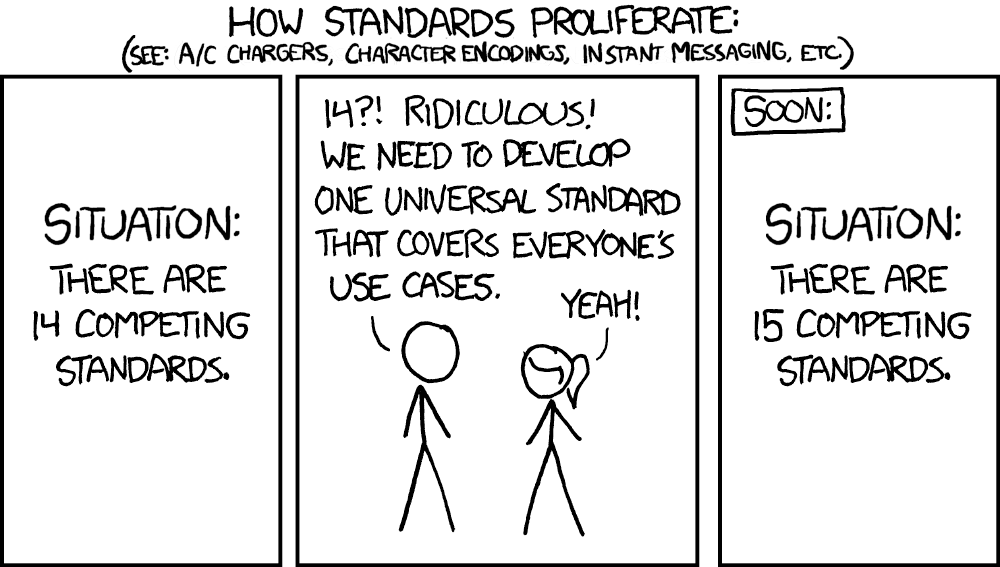
https://xkcd.com/927/

Unicode to the rescue#

  • In the 1980s things were already getting out of hand
  • The Unicode consortium published a standard in 1993 that assigned a code point to every character they could think of (297,334 as of Unicode 17.0)
  • Currently, the most common encoding is UTF-8
    • “Unicode Transformation Format – 8-bit”
    • How can 297k characters be represented in only 8 bits?
  • The first 128 characters are 1 byte each and align with ASCII
  • After that, 2-4 bytes per character are used

There’s also UTF-16 and UTF-32, but now we need to deal with endianness

Line endings#

  • Say we agree to use UTF-8 👍

  • A text file is still just a big long string of bytes

  • Humans like things to be orderly and readable with line breaks

    SystemAbbreviationEscape sequenceCode point
    Pre-OS X MacCR (carriage return)\rU+000D
    UnixLF (line feed)\nU+000A
    WindowsCRLF\r\nU+000D U+000A
  • Result: chaos, but we’ve mostly settled on LF (\n)

Why am I telling you all this?#

  • As data scientists, you will need to ingest data from various sources
  • You will encounter character encoding and/or line ending issues
  • You don’t need to memorize all this, but recognizing that an issue exists will go a long ways towards fixing it

Example: misadventures with “smart” quotes

Where we left off on March 5#

Portable document format#

  • The PDF specification was first published in 1993
  • PDFs are like a “digital paper” that can contain text, images, vector graphics, and more (like JavaScript, forms, and weirdly, 3D models)
  • We use them for all sorts of things because the appearance is consistent
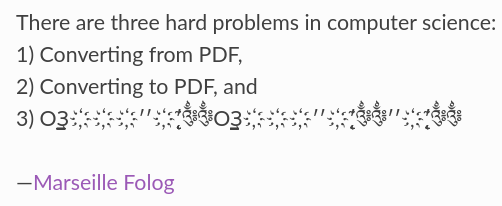
  • They are absolutely terrible for pretty much everything else

Some useful PDF packages:#

DATA 3463 covers more about PDFs, including OCR. The main focus in this class is on fixing the issues and dealing with edge case

Hypertext markup language#

  • Much simpler than PDFs, but still not great for data exchange
  • Markup languages are structured text files that define how content should be displayed, but it’s not always consistent
  • Most of the internet is UTF-8 encoded HTML
  • We can try to extract text with something like BeautifulSoup
    • Again, more on web scraping in DATA 3463

Back to text#

  • Assuming we’ve got text from somewhere, we probably want to:
    • Organize it into a structured format (csv, database, json)
    • Identify specific features (postal codes, dates, names)
  • Need to deal with encoding issues, garbled sentences, mixed up tables, and all the other bizarre ways things go wrong
  • There is no magic flowchart for this! Lots of trying things, seeing what happens, dealing with a few edge cases at a time

One really useful tool is regular expressions 🔨

Regular expressions#

The card game?#

Note: card groupings and colours are logical where possible, but sometimes just random

Basic characters#

bg fit

“Word” characters#

bg fit

Whitespace#

bg fit

Quantifiers#

bg fit

Brackets and braces#

bg fit

Range and boundary#

bg fit

Start (not) and end#

bg fit

Where we left off on March 10#

Capturing groups#

  • Seems weird that (?:...) is so verbose, why not just (...)?

  • Even more common than grouping is capturing: (...)

  • This lets us save part of the match for later

    Examples:

    • extract the dollar amount from a $$ string
    • extract the area code from a phone number
    • extract the domain from an email address

Regex tools#

  • Regex101 for quickly testing, debugging, and learning
  • re module for using regexes in Python
  • grep for searching through files on the command line
  • sed for doing regex-based find and replace on the command line
  • Regex the card game for learning and fun?

Case study: Cloudflare outage#

In July 2019, a poorly formed regex in Cloudflare’s firewall rules caused CPU usage to spike and websites to come crashing down worldwide. The cause? This regex:

(?:(?:\"|'|\]|\}|\\|\d|(?:nan|infinity|true|false|null|undefined|symbol|math)|\`|\-|\+)+[)]*;?((?:\s|-|~|!|{}|\|\||\+)*.*(?:.*=.*)))
  • Regex engines perform backtracking to check for multiple match possibilities
  • This particular string led to catastrophic backtracking
  • Moral of the story: test carefully, both positive and negative

Coming up next#

  • Assignment 3: curate a dataset
  • A primer on data cards
  • Intro to signals and images